
You can let members discover a group and request enrollment through your church’s member portal.
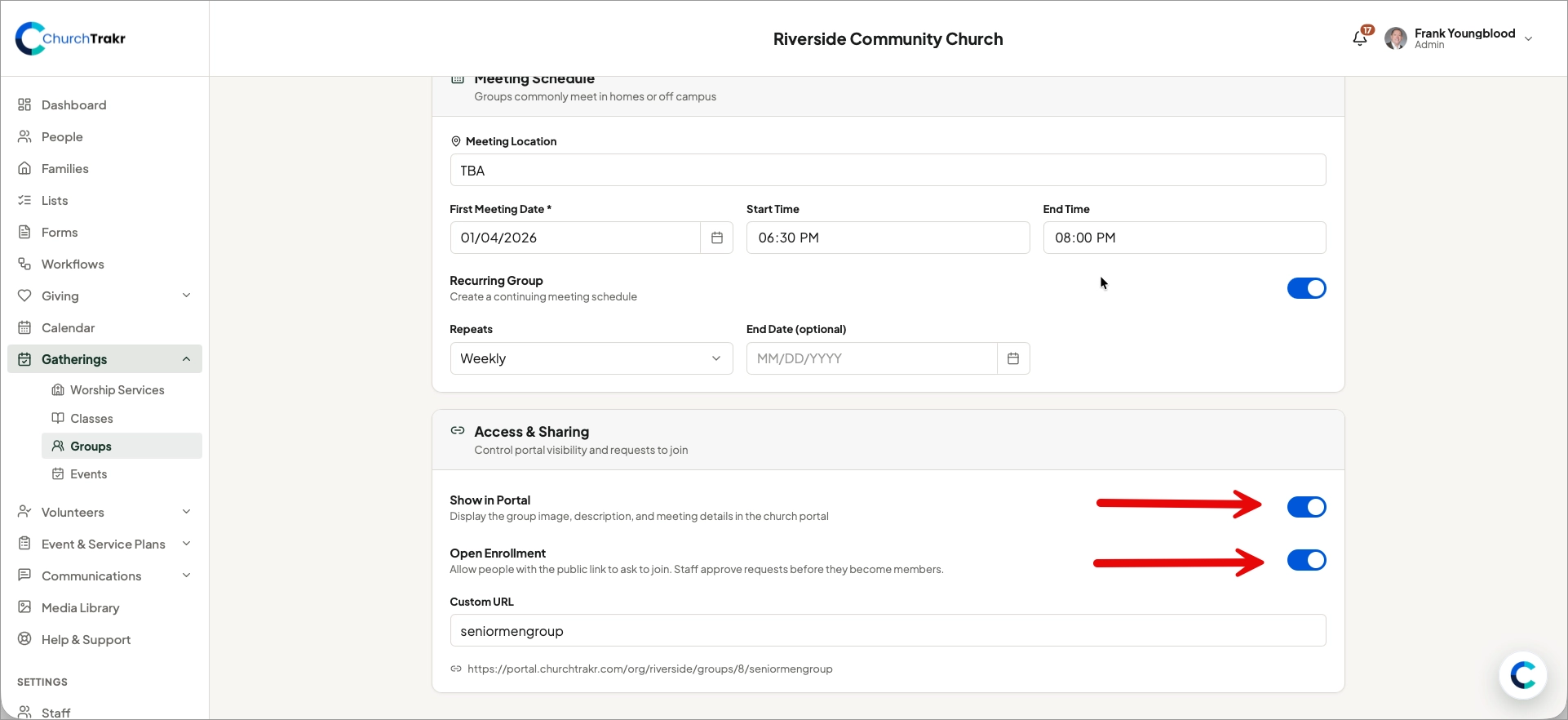
Show a group in the portal
- Open Groups and select the group.
- Select Edit.
- Turn on Show in Portal.
- Turn on Open Enrollment if members should be able to request to join.
- Save the group.
Share the join link
From the group details page, copy the group’s join link and include it in an email, text message, announcement, or website button. People who open the link can view the group in the portal and follow the available enrollment process.
If you use an outside page for the group, add its address in the group’s Custom URL field.
Note: Portal visibility and open enrollment are separate. A group may be visible without accepting join requests.