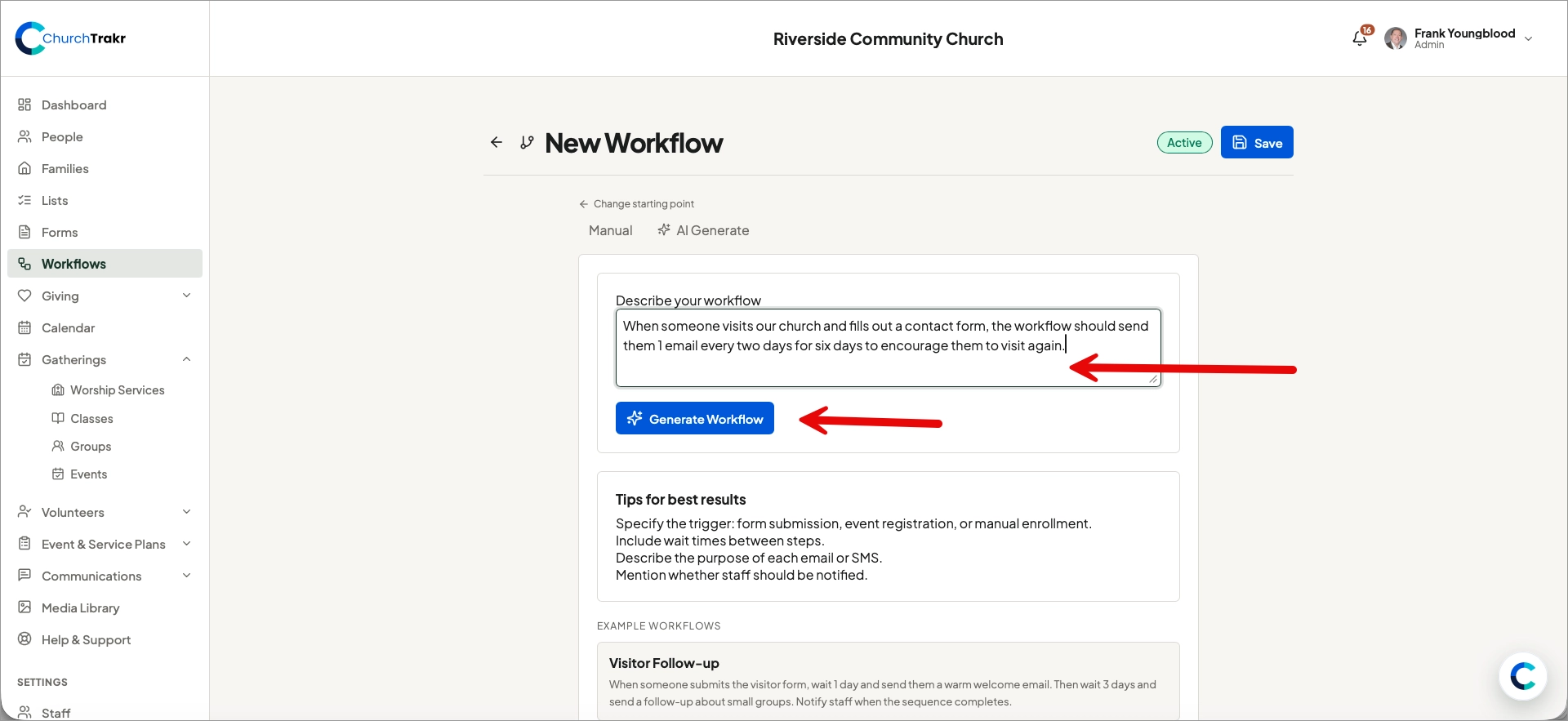
AI Generate can turn a plain-language description into a draft workflow with a name, trigger, and sequence of steps.
Generate a workflow
- Open Workflows and select New Workflow.
- Choose a starting point, then select AI Generate.
- Describe what should start the workflow, what should happen, and when each action should occur.
- Select Generate Workflow.
- Review the generated trigger and every step.
- Adjust messages, timing, staff recipients, tags, and lists.
- Save the workflow when it matches your process.
For better results, be specific. For example: “When someone submits the visitor form, wait one day, send a welcome email, wait three days, and notify the pastoral-care staff.”
Important: Generated workflows are drafts. Always review them before activating or connecting them to a live form or event.