
Use a group’s member list to keep its roster current and identify the people responsible for leading it.
Add people to a group
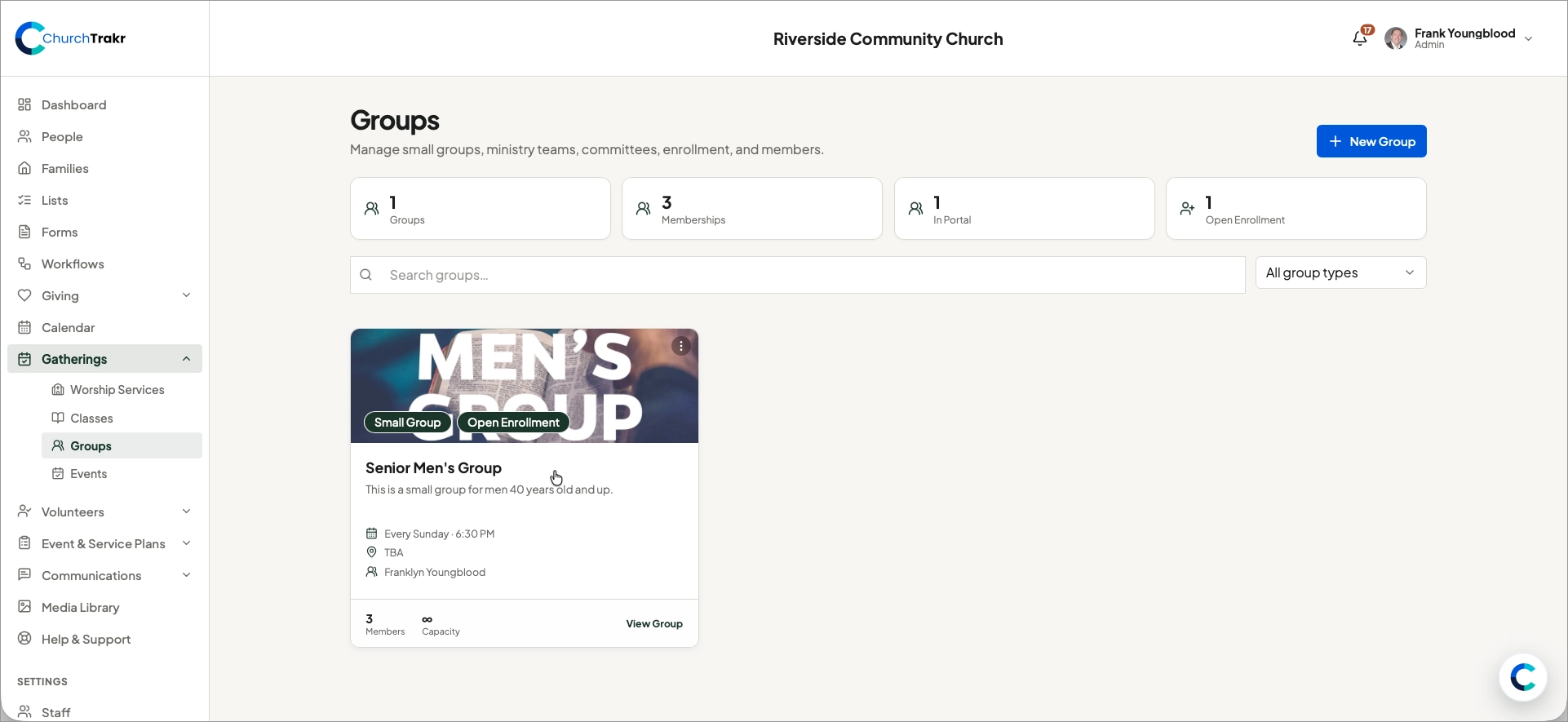
- Open Groups and select the group.
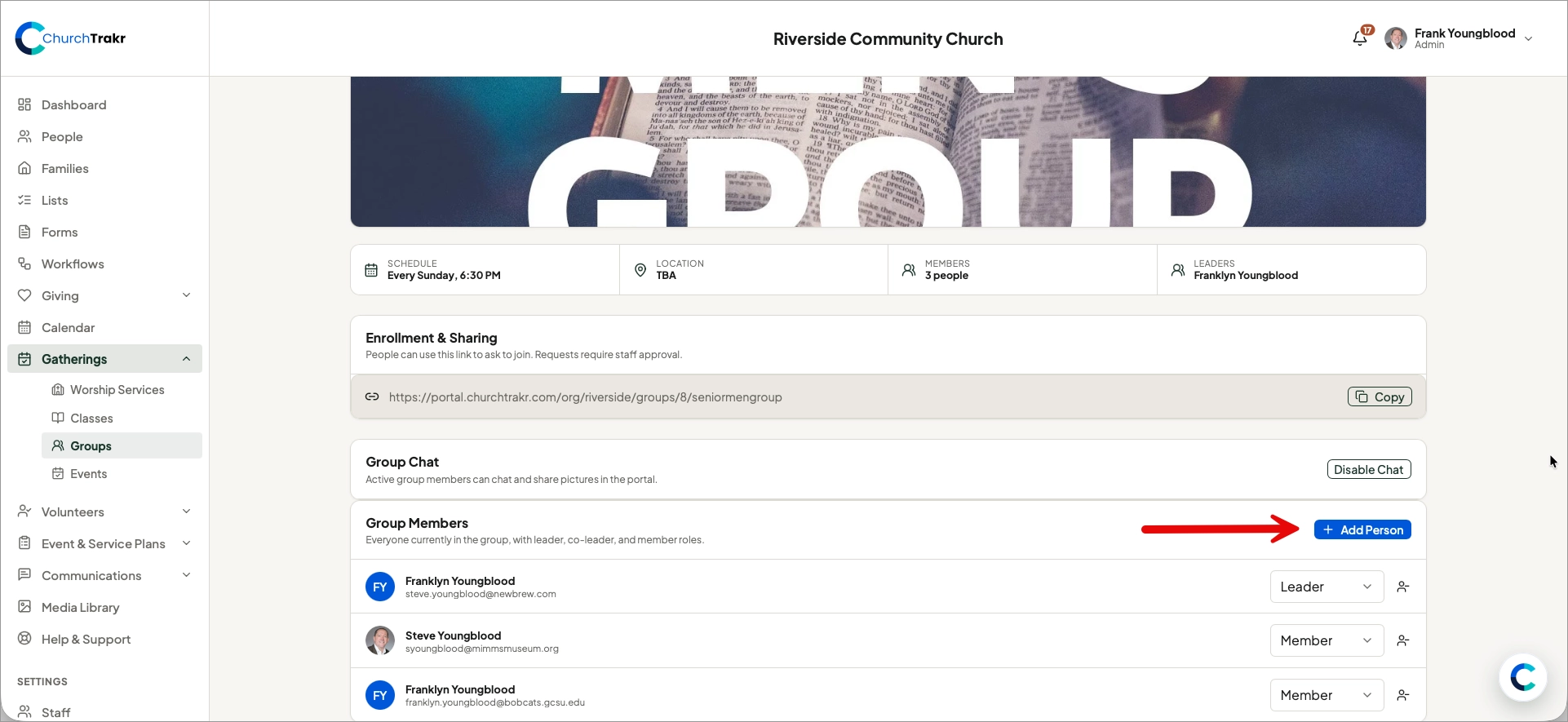
- Find the Group Members section and click the Add People button.
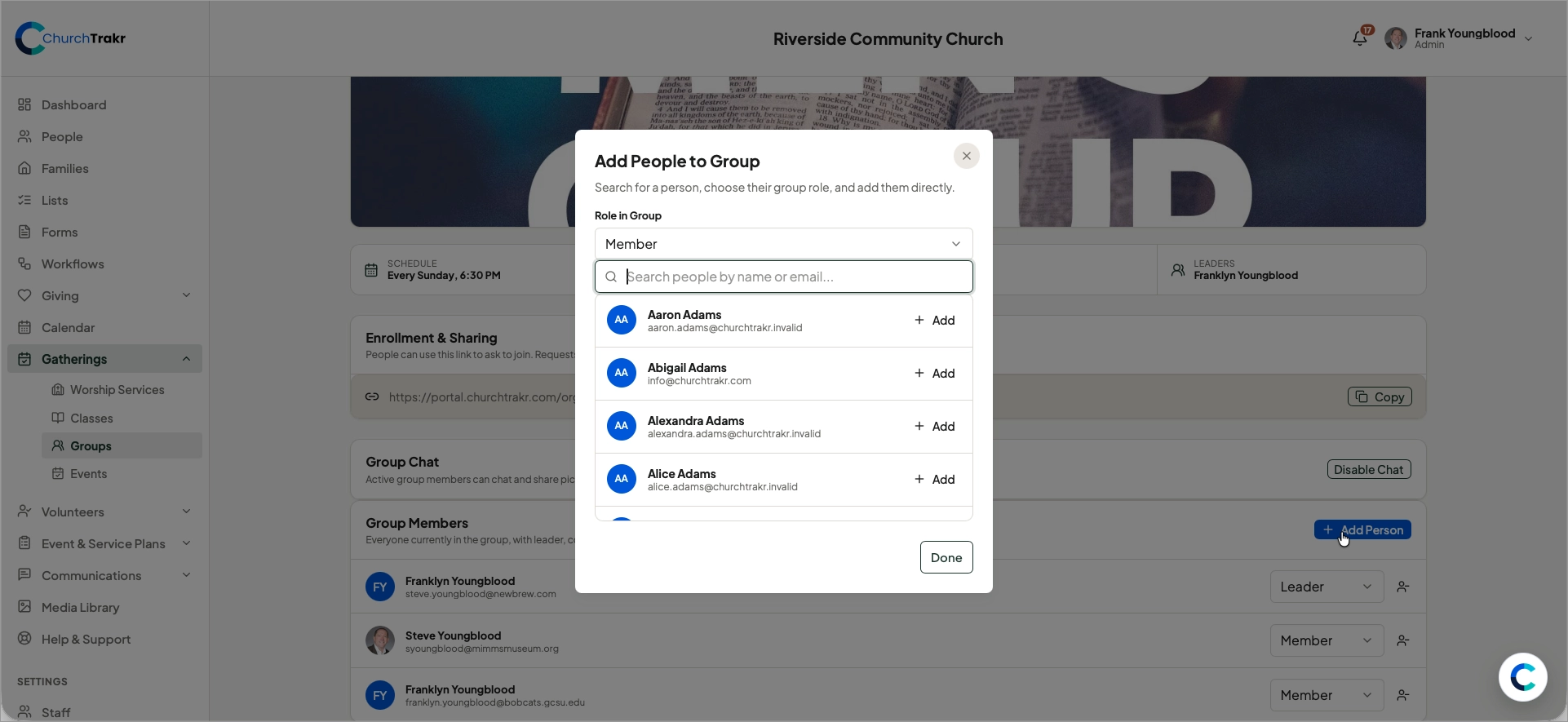
- Search your ChurchTrakr database for people you want to add.
- Select the people you want to add and confirm the change by clicking Done.
Assign a group role
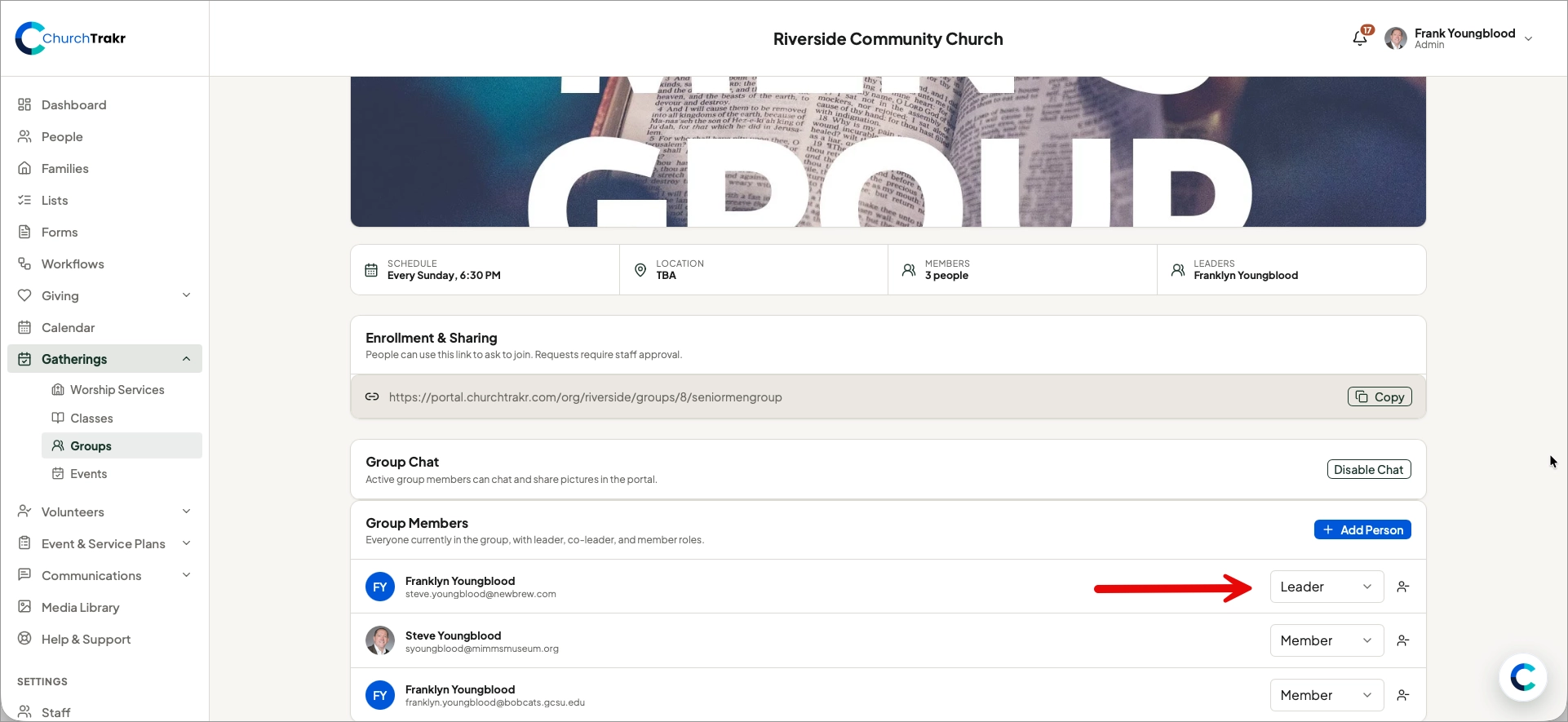
Each person can be assigned as a Leader, Co-leader, or Member. Roles can be set when adding people or later in the Group Members section of the Group page.
Remove a member
Open the person’s options in the group roster and choose the remove action. This removes the person from the group roster; it does not delete the person from your church database.
Tip: Review the roster periodically, especially before sending group-specific communications.